
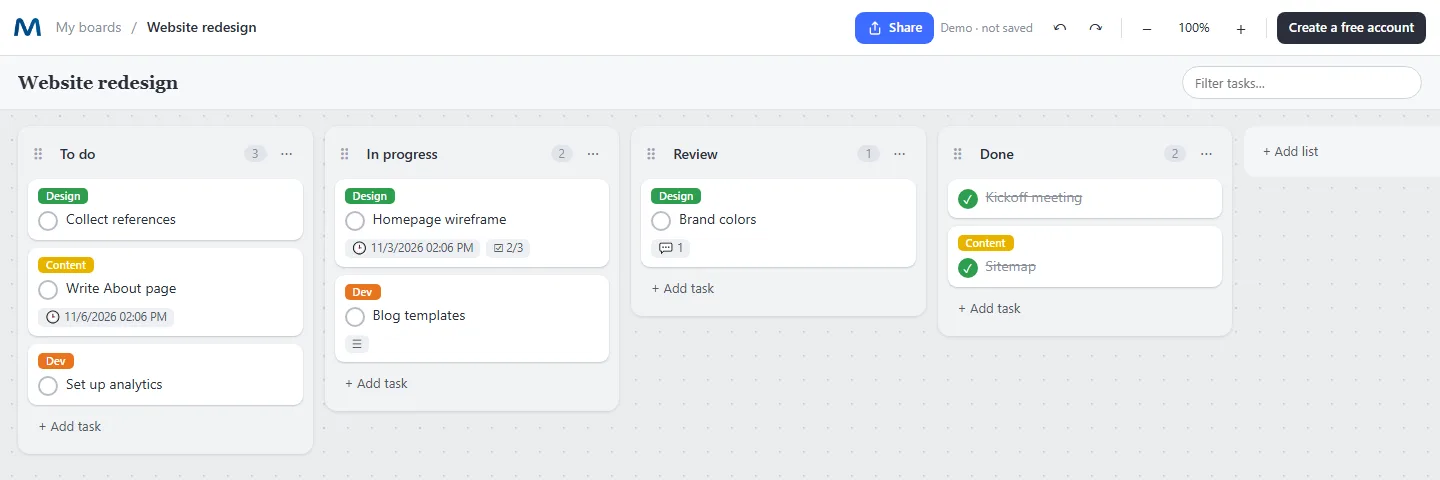
A Kanban board that keeps the details inside each task
Lists and cards you can drag
Create your columns, add tasks and drag them between lists. Reorder lists with the handle.
Labels and due dates
Color labels for type or priority, and due dates that turn red when a task is late.
Checklists inside tasks
Break a task into steps and see the progress on the card, like 2/3.
Attachments and comments
Attach files of any type to a task and discuss it in the comments next to it.
People on each task
Assign members and see their avatars on the card.
Themes for the whole board
Pick a ready theme or create your own colors, fonts and background image.
How to set up a Kanban board
- Create a task board. Choose Tasks in the toolbar and name it after the project.
- Add your lists. A simple start is To do, In progress, Review and Done.
- Write the tasks. Add one task per line. Open a task to add a description, a checklist or a due date.
- Limit work in progress. Keep only a few cards in "In progress" so things actually get finished.
Kanban and mind maps in the same place
Most teams brainstorm in one tool and track tasks in another. In Mappum a task board can live inside your project map: plan on the canvas, then turn the ideas into tasks without switching apps. Read how to create a task list with deadlines.