
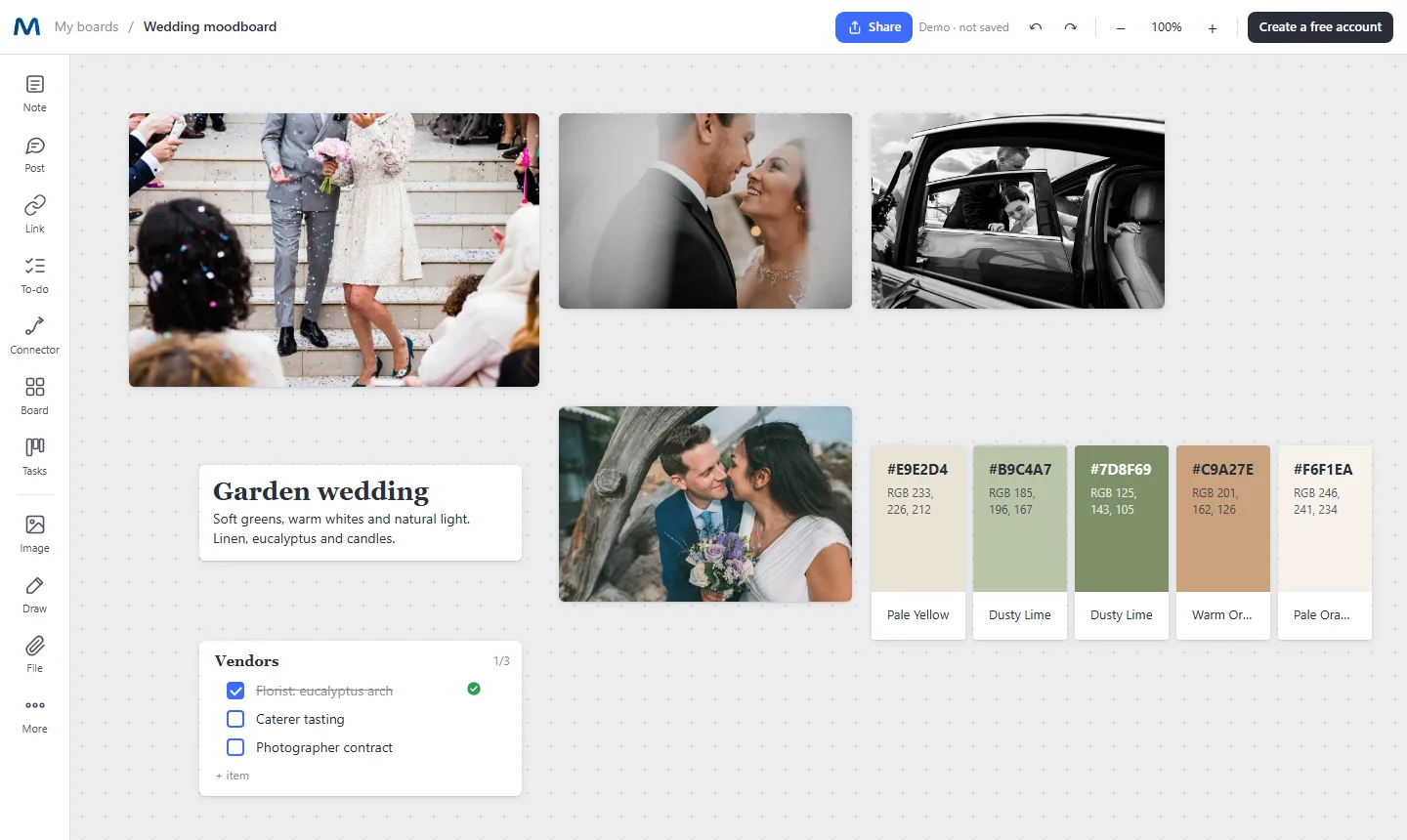
Everything a mood board needs, in one place
Drag and drop images
Drop several photos at once and arrange them freely. Resize, align and group them in seconds.
Color palettes from photos
Pick an image and Mappum extracts its main colors as cards with HEX, RGB and a color name. Click a color to copy it.
Notes beside the visuals
Explain the direction: mood, materials, typography, what to avoid. Notes support headings, colors and highlights.
Checklists for the project
Keep vendors, deliverables or shot lists next to the references, with progress you can see.
Comments and reactions
Clients and teammates can leave comments with their photo and react with emoji on any card.
Present or export
Share a link with view or edit permission, or export the board as PDF, PNG or JPG for a presentation.
How to make a mood board in four steps
- Define the feeling. Write two or three words that describe the mood in a note at the top.
- Gather references. Drag photos from your computer. Keep only the ones that match the words you wrote.
- Extract the palette. Use the palette extractor on your strongest image and keep five colors.
- Add the practical side. A short checklist of vendors or deliverables turns inspiration into a plan.
Who uses Mappum for mood boards
Designers presenting a visual direction, photographers planning a shoot, couples and planners preparing a wedding, interior designers choosing materials, marketers defining a campaign look, and students working on a design brief. For a client-ready presentation, see how to present a moodboard.